Diablo 4 Resolution Settings
How to change Resolution settings?
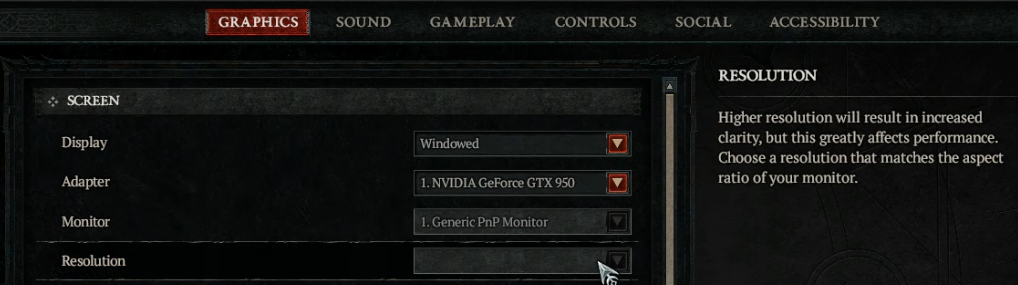
Change options settings: Options -> Graphics -> Resolution.
Higher resoultion will result in increased clarity, but this greatly affects performance. Choose a resoultion that matches the aspect ratio of your monitor.
Diablo 4 Gold, Items, Boosting
- Diablo 4 Items for Sale Fast and Safe Diablo IV Items. 5-star service, nice discount, instant delivery.
- Buy Diablo 4 Gold . Cheap Diablo 4 Gold. Payment: PayPal, Skrill, Cryptocurrencies.
Resolution
One of the main factors of performance is the resolution at which the game is rendered. When playing on PC, the world can be rendered at a lower or higher resolution based on the Resolution Percentage slider, and then rescaled to match the final resolution of the monitor or window the player is using.

Decreasing the Resolution Percentage reduces the internal resolution of the game, yielding better framerate at the expense of a blurrier image. On the other hand, increasing Resolution Percentage increases the internal resolution, which decreases performance as more pixels are rendered, requiring more memory. Doing this offers greater quality and a more detailed image, while also reducing aliasing.
As an alternative to the default upscale method, several upscaling options are available for PC, including NVIDIA DLSS 3, to achieve a higher resolution for the final image while rendering the world at a lower resolution with only minimal quality loss. Whereas consoles leverage a combination of upscaling and dynamic resolution management to maintain high frame rate and visual quality at all times.
D4 Guides & Tips
| Items | |
|---|---|
| Skills | |
| Guides |